
Why iPad says not charging?
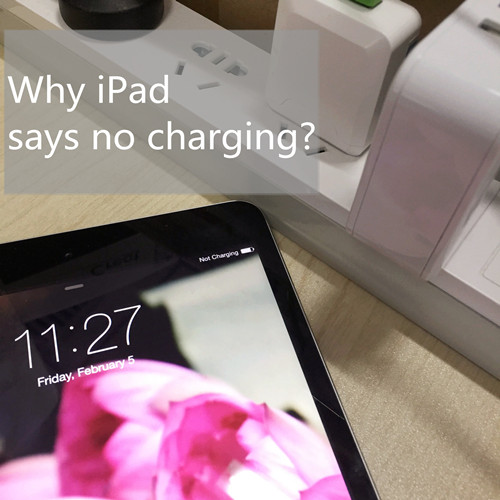
Have you ever met the occasion that iPad says not charging? (No matter which version has the same problem) Why? Before contacting Apple for help, you should read the article that offers some steps to make your iPad say yes.
1. USB ports are wrong for iPad
Sometimes, we just plug the electronic devices into the USB ports when they are power off. But, iPad says not to USB for normal USB ports with ordinary power can not feed juice to iPad. Original USB Power Adapter should be the right choice. Portable charger will be an alternative.
2. Use the right charger
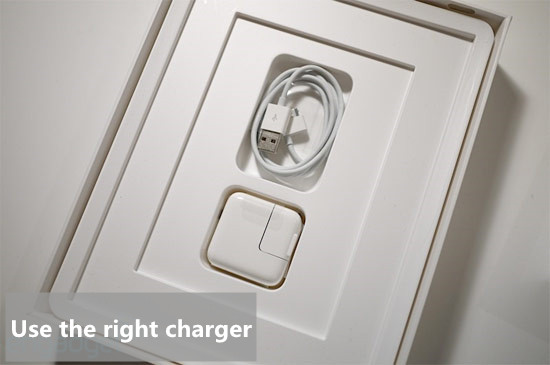
Answer me a question, can you distinguish between iPhone charger and iPad charger? If you are plugging the iPad into an iPhone charger, iPad will say not charging then it’s normal. Because iPhone chargers is not compatible with iPad. In brief, the iPhone charger provide less power to iPad so that’s why iPad says not charging. The right way to charge your iPad is with the included 10W or 12W (5W on Mini) USB Power Adapter. About the coming iPhone 5se, what does the charger look like? Follow the tips to fix the iPad not charging error.
3. Warm iPad up

It’s ridiculous before I get the tip. But, it works:( In winter, you’d better to give a little time to warm iPad up before charging it or the better way is to wrap iPad with clothes or quilt while charging it.
4. Power is not enough
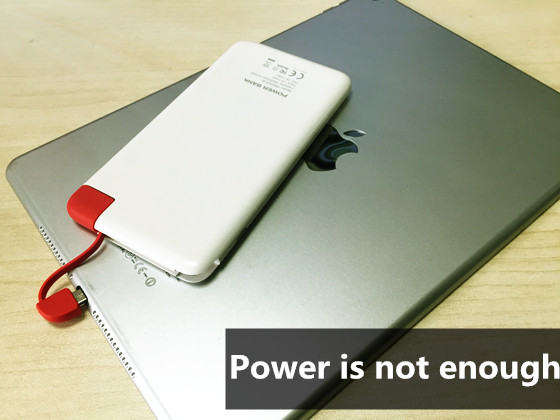
A portable charger increases the time you can play on your devices so using a right power bank to feed juice to the iPad is usually. Here is a tip, getting some ideas about mAh before you have a portable charger for you iPad. Power is not enough is another reason why iPad says not charging! For example, 20000mAh is a high capacity that provide an iPad Mini 3 full charge 2 times. Choose a 20000mAh Power Bank to stop iPad says not charging.
5. iPad is not happy
Occasionally, hardware problem with the Lightning or Dock connector causes iPad says not charging, but often enough it’s a software issue that a few simple steps can fix.
6. Call Apple for help
It’s wise to make a call to Apple after you try above steps. Professional suggestions about why iPad says not charging will come to you, while it may come with fee.
Watch a video on why iPad says no charging?
Posts you may like:
How long to charge power bank first time?


I agree with the wrong USB device. Saving money does not save you money when the tech does not work.
赞赞
I do not know
赞赞
Read the post to check why iPad says not charging and you will get the answer.
赞赞
I think using only original accessories is the best way to keep things working fine 🙂
赞赞
I have had this happen, and it was the USB chord, but not from being the wrong one. My cat had tugged on it and caused the connection to come loose. It wasn’t all the way out and still looked like it was plugged in, but even the slightest disconnect stopped the charge. So along with wrong USB’s check the connection is tight and secure. 😉
赞赞
I have no idea
赞赞
Get tips from why iPad says not charging:)
赞赞
iPad says not charging for wrong cables that I have ever met.
赞赞
I guess we should give our ipads a warm hug after taking them out into the cold 🙂
赞赞
I have never tried it
赞赞
i have never tried it.
赞赞
because of un authenticated accessory or the charger is not supported.
赞赞
thanks for the info
赞赞
I’ve never tried but Apple is very special in his things, everything is more expensive and less compatible with other Apple technology not but appreciate the information and will consider!
赞赞
Another reason is not using “Certified” cable but mostly it’s underpowered or powered off USB ports
赞赞
The ASUS Ai Charger will let you charge an iPad from a laptop port.
赞赞
Since i’m not using an iPad i don’t have any experience of it
赞赞
wrong cable
赞赞
yes, because of cheap mobile.
赞赞
I use the charger for my Ipad and Ipod interactively, So if one does not work I have a back up,.
赞赞
In it to WIN it! Thank You!!!
赞赞
Never tried it but would love to try one.
赞赞
Probably you are using the wrong charger. Get your charger directly from Apple stores. Or may the charger you are using is bad, get a new one from the Apple stores.
赞赞
This was a great article to read.It had lots of good tips and information I didn’t know.Thank you 🙂
赞赞
The right charger would help, but I would make sure I had some type of cooling device to keep it cool. Maybe it gets hot and charge doesn’t show
赞赞
Awesome
赞赞
SHARED ON FACEBOOK AND GOOGLE FAB READING
赞赞
Never tried it but would love to try one.
赞赞
I’ve found that I’ve had to mark my chargers. My iPad 1 charger will not charge my iPad 3, nor will my iPhone charger charge anything other than the phone.
赞赞
Yes, I think a EasyAcc wall charger will solve the problem for you.http://www.easyacc.com/610-easyacc-smart-20w-4a-4-port-usb-wall-charger-.html
赞赞
Haven’t got an IPad, but all this seem pretty frustrating.
赞赞
Finding right charger is really hard.
赞赞
I guess an EasyAcc power bank 20000mAh with smart technology will be a right choice. http://www.easyacc.com/644-easyacc-monster-20000mah-power-bank.html
赞赞
I don’t use an iPad myself, but a lot of my friends do, so I’ll share this article with them.
赞赞
Hope these tips will work well.
赞赞
I don’t have an iPad, but I’ll share the tips with my son. Also shared on FB.
赞赞
Thank you so much! Hope these tips will help more.
赞赞
never tried it
赞赞
Mine is OK right now
赞赞
charged it via my laptop
赞赞
oh, does it work?
赞赞
Power is not enough
赞赞
Just got a new iPad – haven’t had any issues yet….
赞赞
iPad is not happy 😦
赞赞
i never tried it
赞赞
I use my iPhone and iPad charger for both with no difference.
赞赞
Would love an iPad!
赞赞
wrong for the pad. thanks.
赞赞
Only buy legit apple chargers – most of the other ones don’t work well!!! I have experienced this.
赞赞
what sorts of chargers you’ve ever bought?
赞赞
i never tried it
赞赞
Would like to try this product
赞赞
Good information to know. Thank you!
赞赞