
Your iPod Shuffle is little more than an expensive paperweight if you don’t keep it charged. Luckily, you can charge a 3rd or 4th Generation Shuffle on almost any computer or by using a power outlet, and it only takes a few hours to top off.

1.Check your battery status. You can check your battery status to see how much charging you’ll need to do.To check your battery status, using the following step for the iPod Shuffle you have:
3rd Generation – Quickly switch the iPod shuffle “Off” and “On” again.
4th Generation – Press the VoiceOver button twice.

2.Charge the battery using the power outlet. If you have an iPod AC adapter, you can charge your Shuffle using the outlet. Plug the USB end of the power adapter cable into the AC power adapter.
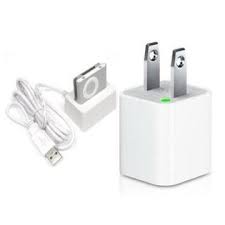
3.Charge your battery using your computer. Plug the USB end of the iPod shuffle USB connector into your computer’s USB port. It must be a high-power USB port; keyboards with USB ports and non-powered USB hubs will not allow charging.
4.Make sure your connection is good. When an iPod shuffle is charging, the status light will glow orange. When fully charged, the status light will glow green.
 blog.easyacc.com
Helpful advice, thank you. 🙂
赞赞
I don’t have an iPod Shuffle but appreciate the advice. I will keep it in mind if I get one.
赞赞
shared , very useful advice
赞赞
Brilliant thanks for sharing
赞赞
great product
赞赞